
Indian Passport
- Size
- 35 × 45 mm
- Background
- White
- Resolution
- 300 DPI
From school admission forms and competitive exam registrations to corporate employee IDs and government passports — Autoremov removes the source background and exports a clean portrait asset. You then apply the exact crop, dimensions, and acceptance rules published by the receiving authority.
2s
Per photo
500+
Batch size
25 MB
Max upload
PNG
Transparent export
Select your audience to see exactly how Autoremov helps your specific use case.
Process hundreds of student photos in minutes — a uniform plain background on every one, ready for the school's own crop, size, and naming rules.
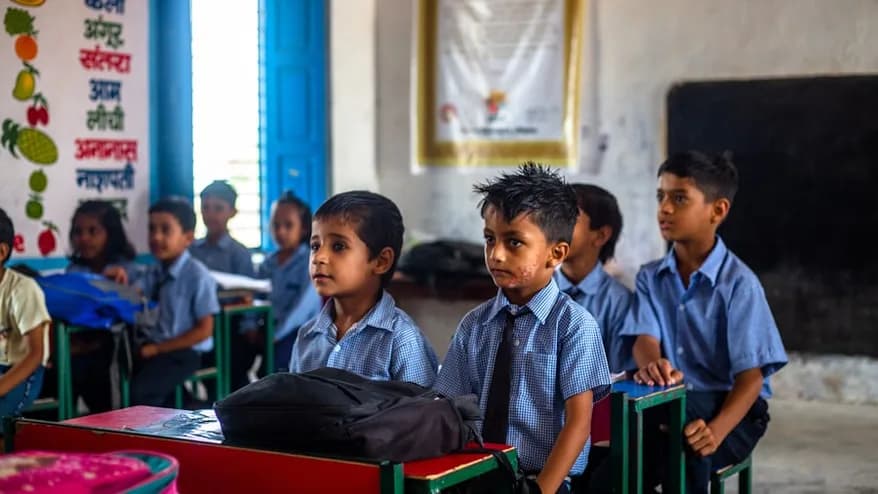
Every academic year, schools collect hundreds of passport-size photos for admission forms, library cards, school ID cards, and report cards. Managing this manually — collecting prints, scanning, reformatting — costs admin staff days of work. Autoremov lets school admins upload an entire batch, remove every background, place each subject on a plain white backdrop, and download the results as a ZIP in minutes. Final crop, dimensions, consent, and record-keeping stay with the school.
500+
Student photos per batch
< 5 min
Full batch turnaround
Free
Bulk download as ZIP
Autoremov does not currently provide certified country presets, guaranteed automatic face centering, print-sheet generation, HRMS integration, or a guarantee that an authority will accept the result. Verify the current specification from the exact receiving organization before submission.
These are the published sizes, resolutions, and background rules for common documents, listed for reference. Autoremov does not ship certified presets — confirm the current specification with the issuing authority before you submit.
Indian Passport
US Visa
UK Passport
NEET / JEE
UPSC
CAT / MBA
Aadhaar Card
PAN Card
Driving Licence
Employee ID
SSC / Banking
Canada Visa
Verify
every spec with the issuing authority
Common exam, government ID, and visa formats with their published dimensions, DPI, and background — listed here for reference, not shipped as certified presets.
Upload 500+ photos at once. Schools, colleges, and HR teams get a ZIP of background-removed photos back in minutes.
Autoremov does not generate A4 print sheets. Export the photo, then arrange 6 or 8 copies in your own layout tool or at a print shop.
Phone selfies, WhatsApp images, home backgrounds — AI removes everything so you can place the subject on the plain backdrop the form asks for.
Exports keep your source resolution, so the cutout stays sharp when you size it for print. Acceptance still depends on the receiving office.
ID photos are personal data. See the privacy policy for how uploads are stored and removed, and apply your own consent and retention rules.
Indian, US, UK, Canadian, Australian, and EU documents each publish their own rules. Check the one that applies to you — Autoremov certifies none of them.
Each photo is processed and ready for download in under 2 seconds — no queue, no waiting.
Physical submissions usually want 6 or 8 copies of the same photo on one A4 page — the sheet a photo studio hands you. Autoremov does not generate that sheet. It prepares the image; you lay the copies out in your own print or layout tool, or hand the file to a print shop.
A4 sheet layout — illustration
6 × passport-size per A4
“We process admission photos for 3,200 students every year across three campuses. Autoremov's batch upload reduced our photo processing from a 3-day job to under 4 hours — and every photo was compliant on the first try.”
Pradeep Sharma
Administrative Officer · Sunrise Group of Institutions, Jaipur
Common questions about ID photos, batch processing, and format compliance.
Autoremov removes whatever background is in your photo and lets you place the subject on white or another plain colour. Whether a home selfie is acceptable is set by the document's own rules — check them for lighting, expression, head coverage, and how recent the photo has to be.
We cannot promise that. Autoremov removes the background; it does not certify the result and it ships no certified country or exam presets. Acceptance depends on the receiving authority's current specification and on the quality of your original photo. Read that specification and check the file against it before you submit.
Admins can upload all student photos at once using the batch upload. Every photo is processed with the same settings and downloaded as a ZIP, with each file named for easy sorting. Crop and final sizing are applied by the institution afterwards. For large institutions, the API can run the same processing programmatically.
No. Autoremov gives you a single processed image file. A multi-copy A4 sheet is laid out in your own print or layout tool, or by a print shop, using that file.
Yes. One background-removed source can be exported and then sized for several documents — a NEET registration and an Indian passport application, for example — but you apply each set of dimensions yourself and check both against their current specifications.
The Free plan includes 10 credits a month, and 1 credit processes 1 photo. Paid plans add larger monthly allowances — see the pricing page for the current tiers. Institutions processing thousands of photos a year can contact us about custom pricing.
Students, professionals, and institutions use Autoremov to prepare the image. The official crop, dimensions, and acceptance rules still come from the organisation receiving it.
10 free photos every month · No credit card required · Official specifications still come from the issuing authority